Deploy React App to Amazon S3 Using Github Actions

We are going to setup a development work-flow using which, our code pushed to Github will be automatically deployed to AWS S3.
AWS IAM User
If we need to deploy our React application to AWS, we need to use our AWS credentials. In the same line, if Github needs to deploy our applcation to AWS, it needs valid AWS credentials.
For that, we create an IAM user to be used by Github. This IAM user will only have enough permission to deploy our code.
Here is the link to AWS documentation about creating IAM users.
I created a user with username githubuser. You can give any user name. Only programmatic access is required for this user.
Also, I gave permission only to S3 service. My policy json looks like this:
{
  "Version": "2012-10-17",
  "Statement": [
    {
      "Sid": "VisualEditor0",
      "Effect": "Allow",
      "Action": ["s3:*", "s3-object-lambda:*"],
      "Resource": "*"
    }
  ]
}
After creating the IAM user, we will get an Access Key ID and Secret Access. Store it somewhere safe.
Github Secrets
When Github does the deployment for us to AWS S3, it requires AWS credentials which we created. These credentials must be stored somewhere safe, but at the same time accessible to Github actions. Github Secrets is the answer.
Go to our repo > Settings > Secrets > Actions. Add two repository secrets with name AWS_ACCESS_KEY_ID and AWS_SECRET_ACCESS_KEY. Provide the credential values to each secrets.
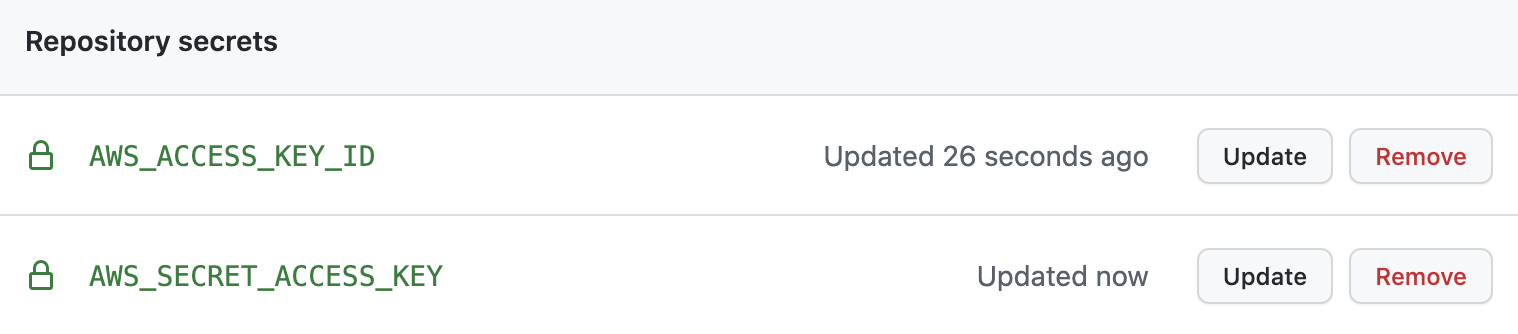
We just set two environment variables in Github environment. We will be using those in Github actions.
Github Actions
Our goal is to build and deploy code from dev branch to AWS S3, when code is pushed to dev branch. Github Actions is a CI/CD platform.
To use Github Actions, create a folder .github/workflows in the project root. We write workflows in YAML files. Create dev-build-deploy.yml file under workflows directory. Paste below YAML code:
# Name of workflow as seen in Github actions tab
name: dev-build-and-deploy
# Run workflow only on push to dev branch
on:
  push:
    branches:
      - dev
jobs:
  # To build the project
  build-tambola:
    runs-on: ubuntu-latest
    steps:
      - name: Checking out code
        uses: actions/checkout@v3
      - name: Installing Node.js
        uses: actions/setup-node@v3
        with:
          node-version: "16"
      - name: Installing dependencies
        run: npm install
      - name: Building project
        run: npm run build
      - name: Configure AWS Credentials
        uses: aws-actions/configure-aws-credentials@v1
        with:
          aws-access-key-id: ${{ secrets.AWS_ACCESS_KEY_ID }}
          aws-secret-access-key: ${{ secrets.AWS_SECRET_ACCESS_KEY }}
          aws-region: us-west-1

      - name: Deploy to S3 bucket
        run: aws s3 sync ./dist/ s3://dev-tambola --delete
We can see above YAML content as the instructions to Github. Where ever we see name key, that will be used by Github Actions console to show the message.
Here are the different steps defined in the YAML file:
- Run the workflow only when someone pushes code to
devbranch - Take a VM with latest Ubuntu OS for running the next steps
- Checkout the code from
devbranch - Install Node.js v16 in the VM to enable NPM command
- Install project dependencies
- Build the project to create
/distfolder with deployable files - Configure AWS credentials using
aws-actions - Upload contents from
/distfolder to our S3 bucket
Save the YAML file. Then, push all code to remote dev branch. Immediately, go to Github actions tab in Github site. There we can see our workflow running.
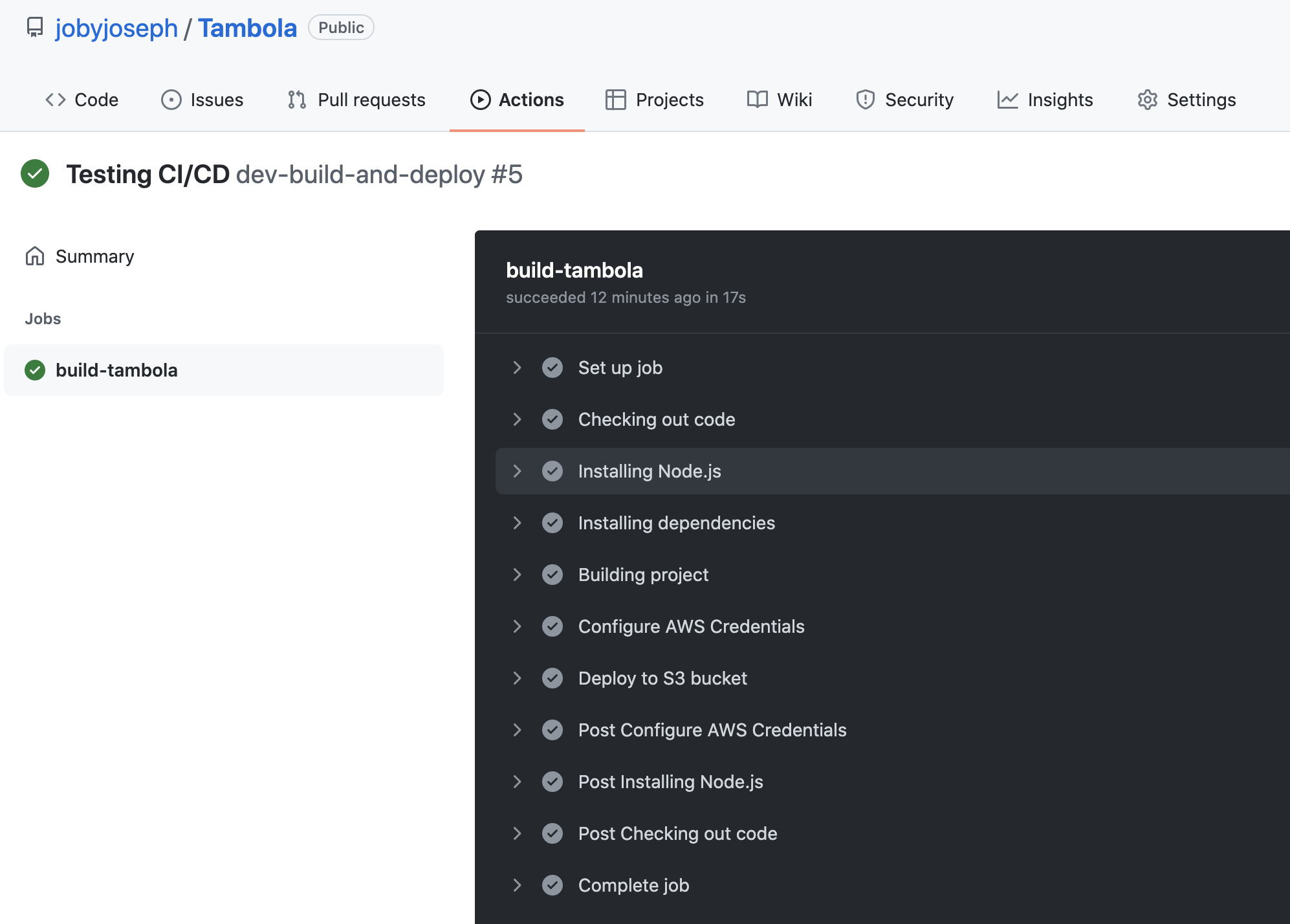
Once all the steps are complete, we can see our S3 link updated with latest changes.
Summary
In this article, I hope I could explain things related to:
- Create AWS IAM user for CI/CD pipelines
- Store credentials in Github secrets instead of using directly in code
- Enable Github Actions workflow in a repository
- Write Github Actions YAML file to define build and deployment rules