SOLVED: TypeScript Cannot Redeclare Block Scoped Variable Name

If you are facing this issue with name variable or some other variable, this article can help. In order to recreate this issue, just create a new TypeScript file and add the following line to it.
let name = "hi";
If we are using VSCode, we can see the error immediately as shown below.
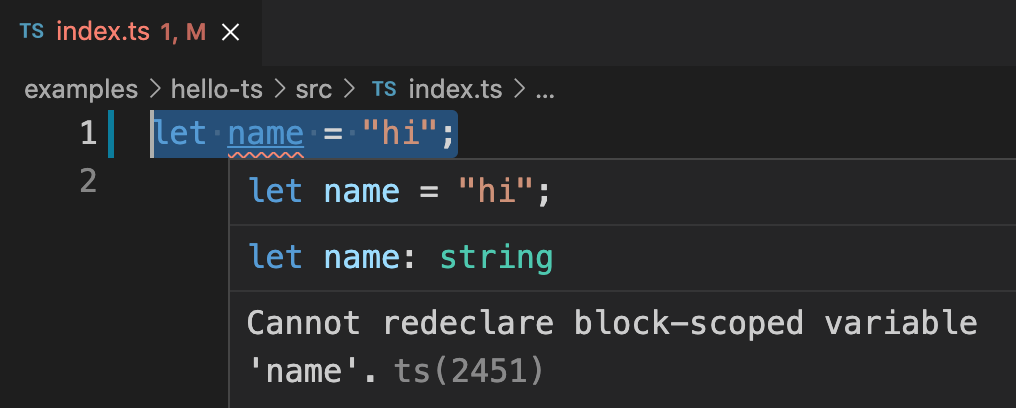
Reason For Error
The error is coming due to a TypeScript feature. When we write a code in TypeScript in a new file, it needs to follow either of below conditions.
- File needs to be declared as a module with its own scope
- File has been declared as a script that shares global scope
Our file followed the second condition. In that case, variable name is already in global scope because the global object has a property named name. Along with that, let does not allow redeclaration. Both these combined, threw the error.
How To Solve
We need to tell TypeScript that our file is a module with its own scope. TypeScript considers any file with import or export statements as a module. Just to notify TypeScript that our file is a module, add the following line as the first line of TypeScript file.
export {};
Yes, adding that one line will solve the problem. So our final TypeScript file looks like below.
export {};

let name = "hi";